USB Video Class Engineering Guide
A UVC camera is a USB camera that follows the USB Video Class specification so that a compatible host can recognize video formats, resolutions, frame rates and camera controls through a standardized USB video framework.
In many systems this reduces the need for a proprietary low-level camera driver, but UVC does not guarantee that every camera will work with every host, operating system, resolution, frame rate or camera control. Real compatibility depends on the complete camera, firmware, USB interface, host controller, operating system and application.
Quick Answer
A UVC camera uses the USB Video Class standard to communicate video and camera-control information with a host. Windows, Linux and some Android systems can use standardized UVC support, but OEM engineers should still validate the exact resolution, frame rate, MJPEG/YUYV format, USB bandwidth and camera controls on the production host.
What Does UVC Mean?
UVC stands for USB Video Class. It defines a standardized framework that allows
USB video devices to describe video streaming modes and camera controls to a compatible host.
The specification is maintained by the USB Implementers Forum (USB-IF) , which publishes the official USB Video Class specification documents.
Typical UVC Camera Signal Path
Image Sensor
→
ISP / USB Bridge
→
UVC Firmware
→
USB
→
Host UVC Driver
→
Application
This architecture is one reason UVC camera modules are widely used when engineers want the camera
itself to handle more of the video-interface complexity rather than exposing a raw image-sensor interface directly to the host.
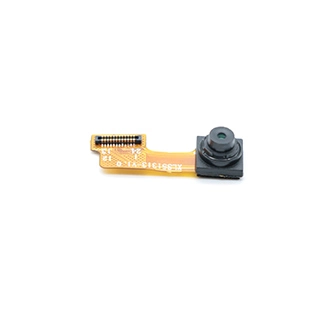
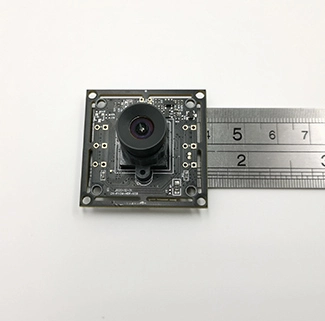
For board-level OEM integration, see CK Vision's USB camera module range.
Is a UVC Camera the Same as a USB Camera?
Not exactly. “USB camera” describes a camera connected through USB.
“UVC camera” means the USB video device follows the USB Video Class framework.
| Term | What It Describes | What It Does Not Guarantee |
| USB Camera | Physical / data connection through USB | UVC compliance, supported controls or specific video modes |
| UVC Camera | USB Video Class device framework | Universal support for every host, format, resolution or control |
For an OEM project, always confirm the complete combination of USB interface + UVC implementation + video format + resolution + frame rate + host platform.
Does a UVC Camera Need a Driver?
A UVC camera usually still uses a driver. The important difference is that a compatible operating system may already provide a standard UVC class driver, so a separate vendor-specific low-level driver may not be required for normal video streaming.
This is why the phrase “driverless USB camera” can be misleading. The operating system is still using software to communicate with the device; that software may simply already be built into the host platform.
Advanced or proprietary functions may still require vendor-specific application software, firmware support or UVC Extension Unit commands.
How Does UVC Work on Windows, Linux and Android?
UVC Cameras on Windows
Microsoft provides built-in support for standards-compliant USB Video Class devices, allowing many UVC cameras to enumerate through the operating system's standard camera-driver framework.
See Microsoft's official UVC Camera Implementation Guide for Windows implementation details.
UVC Cameras on Linux
Linux commonly handles USB Video Class devices through the uvcvideo driver together with the V4L2 media framework.
The Linux kernel UVC documentation also describes UVC-specific controls and Extension Unit handling.
UVC Cameras on Android
Android can support external USB cameras, but support is more platform-dependent. The final result depends on USB host capability, kernel configuration, camera HAL, Android build, supported video formats and the application.
Google's Android Open Source Project provides an official external USB camera implementation guide.
For OEM Android products, validate the actual camera on the production SoC + BSP + Android version + application rather than relying only on a generic “Android compatible” statement.
MJPEG vs YUYV in a UVC Camera
MJPEG and YUYV are common video formats in USB camera modules, but they create very different bandwidth and host-processing requirements.
| Factor | MJPEG | YUYV |
| Data | JPEG-compressed frames | Uncompressed YUV pixel data |
| USB Bandwidth | Usually lower | Much higher |
| Host Processing | JPEG decode required | No JPEG decode required |
| Useful When | USB bandwidth is limited | Uncompressed frames are preferred |
Example: Why 1080p YUYV Requires Much More Bandwidth
YUYV commonly requires approximately 2 bytes per pixel.
1920 × 1080 × 2 bytes × 30fps ≈ 124 MB/s of image payload
This calculation does not include USB protocol overhead. It illustrates why the same camera
may support a high-resolution mode in MJPEG while an equivalent YUYV mode requires much more interface bandwidth.
For a deeper engineering explanation, see our USB camera bandwidth and frame-rate guide .
USB 2.0 vs USB 3.0 for a UVC Camera
UVC and USB interface generation are different concepts. A UVC camera can use USB 2.0 or a higher-bandwidth USB interface.
| Factor | USB 2.0 | USB 3.x |
| Bandwidth Headroom | Lower | Higher |
| MJPEG | Common for higher-resolution USB2 modes | Also supported depending on camera design |
| Uncompressed Video | More bandwidth-limited | More interface headroom |
A faster USB interface does not automatically mean a faster camera. Sensor frame rate, ISP/bridge capability, firmware and host performance still determine the actual video modes.
For projects requiring additional USB bandwidth, review CK Vision's USB 3.0 camera module .
What Camera Controls Can UVC Support?
UVC provides a framework for camera controls, but a specific camera only exposes the functions implemented by its hardware and firmware.
Exposure
Gain
White Balance
Brightness / Contrast
Focus
Vendor Functions
A host application cannot control a function simply because that function exists in the UVC standard.
The camera firmware must expose it and the host software must support it.
What Is a UVC Extension Unit?
A UVC Extension Unit allows a camera manufacturer to expose vendor-specific controls beyond the standard control set. This can be useful for specialized imaging or device functions, but the host application must understand how to communicate with those proprietary controls.
UVC 1.1 vs UVC 1.5: Which Version Do You Need?
USB-IF has published multiple versions of the USB Video Class specification. In practice, an OEM buyer should avoid selecting a camera based only on the UVC version number.
Define the required behavior first: video formats, resolution, frame rate, camera controls, metadata, host platform and any proprietary functions. Then verify whether the selected camera implementation and host support those requirements.
UVC vs USB3 Vision vs MIPI CSI-2
These terms are frequently mixed together, but they represent different camera-integration approaches.
| Factor | UVC Camera | USB3 Vision Camera | MIPI CSI-2 Camera |
| Interface | USB | USB 3.x | MIPI CSI-2 |
| Typical Software Model | USB video-device framework | Industrial vision ecosystem | SoC / BSP camera pipeline |
| Sensor Driver on Host | Usually abstracted by camera | Industrial camera SDK / standard stack | Usually required |
| Common Use | Embedded USB imaging | Industrial machine vision | Integrated embedded vision |
USB 3.0 camera does not automatically mean USB3 Vision camera. USB3 Vision is a separate industrial vision standard.
The Association for Advancing Automation (A3) provides official information about the USB3 Vision standard.
If you are deciding between a USB architecture and a processor-direct camera interface, read our USB Camera vs MIPI CSI-2 Camera guide.
How to Select a UVC Camera Module for an Embedded Project
Do not select a UVC camera based only on resolution.
A reliable design starts with the complete imaging and host requirements.
| Requirement | What to Confirm |
| Resolution | What is the smallest detail the application must resolve? |
| Frame Rate | 30fps, higher speed or low-speed observation? |
| Video Format | MJPEG, YUYV or another required host format? |
| USB Interface | Does the required mode fit within USB 2.0 or is USB 3.x preferable? |
| Host Platform | Windows, Linux, Android or another embedded operating system? |
| Controls | Exposure, gain, white balance, autofocus or vendor-specific functions? |
| Optics | FOV, working distance, focus type and distortion requirements? |
| Mechanical Design | PCB size, FPC shape, cable route, connector and enclosure limitations? |
Related UVC Camera Module Options
Common UVC Camera Integration Problems
Camera enumerates but no video appears
Check whether the application supports the camera's exposed pixel format and video mode.
MJPEG works but YUYV fails
The uncompressed mode may require more USB bandwidth than the host or interface can sustain.
Camera works on Windows but not Android
Android support depends on the device's kernel, USB host configuration, camera HAL and application.
Expected control is missing
Confirm whether the camera firmware exposes that control through standard UVC descriptors or a vendor Extension Unit.
High-resolution streaming is unstable
Check cable quality, USB topology, host-controller bandwidth, video format, power and application buffering.
UVC Camera FAQs
What is a UVC camera?
A UVC camera is a USB video device that follows the USB Video Class framework so a compatible host can identify and communicate with its video streams and supported camera controls.
Is every USB camera a UVC camera?
No. A camera can use USB without necessarily implementing the USB Video Class standard. Confirm UVC support in the actual product specification.
Is a UVC camera really driverless?
Not literally. A compatible operating system may already include a UVC class driver, which means a separate manufacturer-specific low-level driver may not be necessary for normal video streaming.
Does UVC work on Linux?
Linux commonly supports UVC devices through the uvcvideo driver and V4L2 framework. The required format, resolution, control and host configuration should still be validated.
Does Android support UVC cameras?
Android can support external UVC cameras, but compatibility varies with the USB host, kernel configuration, camera HAL, Android build and application.
Which is better, MJPEG or YUYV?
Neither is universally better. MJPEG reduces USB bandwidth through compression, while YUYV provides uncompressed pixel data but requires significantly more interface bandwidth.
Is a USB 3.0 UVC camera the same as a USB3 Vision camera?
No. USB 3.0 describes the USB interface generation. USB3 Vision is a separate industrial machine-vision standard. A USB 3.x camera may use UVC without being USB3 Vision compliant.
Need a UVC Camera Module for an Embedded Project?
Send CK Vision your required resolution, frame rate, MJPEG/YUYV format, host platform, USB interface, working distance, field of view, PCB/FPC dimensions, cable and connector requirements for project evaluation.
Discuss Your UVC Camera Project