A USB 3.0 camera module can transfer substantially more image data than a USB 2.0 camera, but the USB interface alone does not determine the final resolution or frame rate. Actual performance depends on the image sensor, USB bridge controller, output format, firmware, host controller, cable quality and software pipeline.
USB 3.2 Gen 1, commonly associated with USB 3.0 or SuperSpeed USB products, provides a signaling rate of 5 Gbps. This is a theoretical link rate rather than a guaranteed video payload. Protocol overhead, controller efficiency, endpoint configuration and system resources reduce the bandwidth available to the camera.
For this reason, a camera advertised with a USB 3.0 interface does not automatically support uncompressed 4K video at every frame rate. The required bandwidth must be calculated for the selected resolution, frame rate and pixel format before the camera is integrated into the final device.
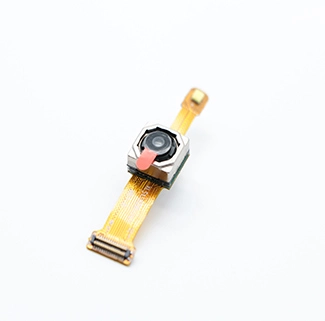
CK Vision’s USB 3.0 camera module can be evaluated with custom sensors, PCB or FPC structures, lenses, cables, connectors, firmware and image-quality settings for embedded vision, robotics and industrial imaging projects.
What Is a USB 3.0 Camera Module?
A USB 3.0 camera module is a board-level camera that captures image data, processes or converts the sensor output and transfers video to a host through a SuperSpeed USB interface.
A complete module normally includes an image sensor, lens, PCB or FPC, USB bridge controller, firmware, cable and connector. Depending on the design, image processing may be completed inside the sensor, inside the USB bridge or through a separate ISP before the video is transmitted.
The USB-IF USB 3.2 specification identifies 5 Gbps, 10 Gbps and 20 Gbps transfer-rate categories. Many board-level cameras described as USB 3.0 use the 5 Gbps USB 3.2 Gen 1 signaling rate.
USB 3.0 is useful when a project requires one or more of the following:
Higher resolution than a USB 2.0 camera can practically deliver
Higher frame rates at 1080p, 5MP or 4K resolutions
Uncompressed YUYV output
Lower compression at a specified frame rate
Reduced transfer delay for embedded or industrial imaging
Multiple video streams or additional image metadata
However, the camera must still be matched to the host. A USB 3.0 port does not guarantee that the processor, operating system or application can receive, decode and process the full camera stream continuously.
How Resolution, Frame Rate and Pixel Format Affect Bandwidth
Camera bandwidth is the amount of image data that must be transferred each second for a selected resolution, frame rate and number of bits per pixel.
The approximate uncompressed payload can be calculated as follows:
Bandwidth = Image Width × Image Height × Frame Rate × Bits per Pixel
The result does not include USB packet overhead, frame headers, metadata or other system losses. It should therefore be treated as the minimum image payload rather than the complete USB link requirement.
| Video Mode | Assumed Format | Approximate Image Payload | Practical Consideration |
|---|---|---|---|
| 1920 × 1080 at 30 fps | YUYV, 16 bits per pixel | 124.4 MB/s / 1.00 Gbps | Normally feasible on a properly designed USB 3.0 system |
| 1920 × 1080 at 60 fps | YUYV, 16 bits per pixel | 248.8 MB/s / 1.99 Gbps | Requires sufficient bridge, host and memory performance |
| 2592 × 1944 at 30 fps | YUYV, 16 bits per pixel | 302.3 MB/s / 2.42 Gbps | Host-controller sharing and cable quality become more important |
| 3840 × 2160 at 30 fps | YUYV, 16 bits per pixel | 497.7 MB/s / 3.98 Gbps | Close to the practical limit of many 5 Gbps implementations |
| 3840 × 2160 at 60 fps | YUYV, 16 bits per pixel | 995.3 MB/s / 7.96 Gbps | Cannot fit into a 5 Gbps link without compression or a faster interface |
YUYV, also known as YUY2 in some Windows environments, is a packed YUV 4:2:2 format. Two pixels are stored in four bytes, which is equivalent to approximately 16 bits per pixel. The format structure is documented in the Linux V4L2 packed YUV specification.
The calculations also explain why some cameras can provide 4K at 30 fps in MJPEG but not in YUYV. The image sensor may support the resolution and frame rate, while the selected uncompressed USB output exceeds the practical link capacity.
MJPEG vs YUYV for a USB 3.0 Camera
MJPEG reduces USB bandwidth by compressing each video frame as a JPEG image, while YUYV transfers processed but largely uncompressed YUV 4:2:2 image data.
Microsoft’s UVC camera implementation guidance describes support for uncompressed YUV and compressed MJPEG video streams. Both formats can be used in UVC camera designs, but they create different requirements for the camera and host.
| Item | MJPEG | YUYV |
|---|---|---|
| Compression | Each frame is JPEG-compressed | Uncompressed YUV 4:2:2 |
| USB bandwidth | Lower and variable | Higher and predictable |
| Host processing | Requires JPEG decoding | Requires less decompression work |
| Image artifacts | May show compression artifacts at lower quality settings | No JPEG compression artifacts |
| Frame size | Changes with scene detail and quality setting | Primarily determined by resolution |
| Typical use | 4K video, bandwidth-limited hosts and long recordings | Computer vision, frame analysis and consistent image pipelines |
When MJPEG Is the Better Choice
MJPEG is useful when the required uncompressed stream would otherwise exceed the available USB bandwidth. It can make 4K or high-frame-rate video practical on a 5 Gbps connection, provided that the host can decode the stream at the required rate.
Its actual bandwidth is difficult to predict from resolution and frame rate alone. A detailed, noisy or rapidly changing scene generally produces larger JPEG frames than a simple static scene. The firmware’s JPEG quality setting also affects data volume and visible compression.
When YUYV Is the Better Choice
YUYV is useful when image consistency, frame-by-frame analysis or avoidance of JPEG artifacts is more important than minimizing transfer bandwidth. It is often selected for barcode recognition, measurement, inspection and computer-vision applications.
The main limitation is data volume. Even with USB 3.0, high-resolution YUYV streams can approach the practical limit of the camera bridge or host controller. Before selecting YUYV, confirm every required resolution and frame-rate combination rather than relying on the camera’s maximum sensor specification.
Why a USB 3.0 Camera May Not Reach Its Advertised Frame Rate
The final camera frame rate is limited by the slowest part of the complete sensor-to-application pipeline.
Common limiting factors include:
Image sensor mode: The sensor may not support the required resolution at the requested frame rate.
Sensor-to-bridge interface: MIPI, parallel or other internal links may have their own bandwidth limit.
USB bridge controller: The controller must receive, process and package each frame fast enough.
ISP processing: Demosaicing, HDR, noise reduction and distortion correction can reduce maximum throughput.
Output format: MJPEG encoding or YUYV transfer creates different processing and bandwidth requirements.
USB host controller: Multiple cameras, storage devices or adapters may share the same controller bandwidth.
CPU or GPU load: Decoding, display and image analysis may not keep pace with the incoming stream.
Application buffering: Insufficient buffers or slow image-copy operations can cause dropped frames.
Exposure time: Long exposure settings can physically prevent the sensor from maintaining a high frame rate.
Frame-rate testing should record the number of frames received over a defined period rather than relying only on the value requested by the application. The test should also be repeated under low light because automatic exposure may reduce the effective frame rate on some camera configurations.
Image quality can also change when the camera switches between modes. CK Vision’s camera ISP tuning services can be evaluated when exposure, white balance, noise reduction, sharpness or color must be optimized for the selected USB camera mode.
USB 3.0 Cable Length, Connector and Signal Integrity
A USB 3.0 cable must maintain SuperSpeed signal integrity while also supplying sufficient power to the camera.
There is no single cable length that guarantees reliable operation for every USB 3.0 camera. Performance depends on cable construction, conductor size, shielding, connector quality, camera power, link rate, host receiver and electromagnetic environment.
The USB-IF white paper on SuperSpeed connector and cable performance identifies insertion loss, reflections and crosstalk as important signal-integrity concerns. A marginal cable can cause:
Failure to establish a SuperSpeed connection
Fallback to USB 2.0 operation
Intermittent camera disconnection
Corrupted frames or transfer errors
Reduced frame rate
Radio-frequency interference with nearby devices
For a stable camera design:
Use a qualified SuperSpeed cable rather than a charge-only or USB 2.0 cable.
Keep passive cables as short as the mechanical design permits.
Avoid unnecessary adapters and unpowered hubs.
Confirm that the connector provides the required SuperSpeed pairs.
Test the exact production cable, connector and host combination.
Use locking or retention features when vibration may loosen the connection.
Evaluate an active cable, repeater or alternative interface for longer distances.
The USB-IF cable and connector program provides specification and compliance information for USB cable assemblies and connectors. Certification does not replace system-level testing, but it provides a better starting point than an unverified cable.
Windows, Linux and Android Host Compatibility
Host compatibility depends on UVC support, USB host capability, available power, supported video formats and application software.
Windows
Microsoft provides an in-box USB Video Class driver for compliant UVC devices. The Microsoft UVC driver overview explains that a properly implemented UVC camera can use the operating system driver instead of requiring a separate proprietary video driver.
This does not mean that every camera control will automatically be available. Custom functions, trigger modes, metadata and vendor-specific controls may require extension units, an SDK or additional software.
Linux
Linux commonly handles compliant UVC cameras through the uvcvideo driver and Video4Linux2. The Linux UVC driver documentation provides driver-specific implementation information.
Before deployment, confirm that the target kernel, USB host controller and application support the camera’s MJPEG or YUYV format, required resolution and frame interval. Tools based on V4L2 can be used to inspect the modes advertised by the device.
Android
Android support varies by device and system image. The Android external USB camera documentation describes platform support for plug-and-play UVC cameras through the Camera2 API and external camera HAL.
A successful Android integration may require:
USB host or OTG capability
UVC support in the system image
A compatible external camera HAL or application library
Sufficient power for the camera
Support for the selected MJPEG or YUYV mode
Permission and device-access handling in the application
Testing one Android phone or development board does not prove compatibility with all Android devices. The exact production host should be validated before the camera design is finalized.
UVC USB 3.0 vs USB3 Vision
UVC is a general USB video-device class, while USB3 Vision is a machine-vision standard built on the USB 3.x interface.
The A3 USB3 Vision standard covers device discovery, control, event handling and image streaming for industrial vision devices. A camera should not be described as USB3 Vision-compliant merely because it uses a USB 3.0 connector.
| Item | UVC USB 3.0 Camera | USB3 Vision Camera |
|---|---|---|
| Primary use | General video, embedded imaging and conferencing | Industrial and machine vision |
| Host integration | Standard UVC driver where supported | USB3 Vision-compatible software stack or SDK |
| Typical formats | MJPEG, YUYV and other declared UVC formats | Machine-vision pixel formats defined by the implementation |
| Camera controls | Standard UVC controls plus optional extensions | Industrial device-control model and GenICam-related ecosystem |
| Compliance claim | Must follow UVC device-class requirements | Must implement and validate the USB3 Vision standard |
For an embedded product that needs broad operating-system video support, UVC is often the more direct architecture. For a machine-vision system requiring industrial camera control and interoperability, USB3 Vision may be more appropriate.
USB 3.0 Camera Module Selection Checklist
A reliable camera selection begins with the required output mode and the capabilities of the final host—not with the USB connector alone.
Before requesting a sample, confirm the following:
Required resolution: Define every operating mode, not only the maximum sensor resolution.
Required frame rate: State the minimum sustained frame rate for each resolution.
Output format: Specify MJPEG, YUYV or another required format.
Image quality: Confirm whether compression artifacts are acceptable.
Host platform: Provide the processor, operating system and USB controller information.
Cable requirement: Define length, flexibility, shielding, connector and retention needs.
Available power: Confirm whether the host can power the camera and optional illumination.
Lens requirement: Provide field of view, working distance and focus type.
Mechanical space: Submit the available PCB/FPC dimensions and enclosure drawing.
Software requirement: Confirm UVC, USB3 Vision, SDK, trigger or metadata needs.
Customers comparing multiple resolutions and camera structures can review CK Vision’s USB camera module solutions. For a detailed interface comparison, see the guide to USB 2.0 vs USB 3.0 for 4K camera modules.
Frequently Asked Questions
Is USB 3.0 fast enough for a 4K camera?
It can be, but the result depends on frame rate and format. A 4K 30 fps YUYV stream requires approximately 3.98 Gbps of image payload before USB overhead, placing it close to the practical limit of many 5 Gbps systems. MJPEG can reduce the required transfer bandwidth substantially.
Why does my USB 3.0 camera run at USB 2.0 speed?
Possible causes include a USB 2.0 cable, a connector without SuperSpeed pairs, a USB 2.0 hub, poor signal integrity or a host port that does not support SuperSpeed. Check the negotiated link speed and test the camera directly on a known USB 3.x host port.
Does MJPEG always provide the same bandwidth?
No. MJPEG frame size varies with image complexity, motion, noise and compression quality. A detailed or noisy scene may require more bandwidth than a simple static scene at the same resolution and frame rate.
Is YUYV better than MJPEG for computer vision?
YUYV avoids JPEG compression artifacts and provides predictable frame sizes, which can be beneficial for image analysis. However, it consumes substantially more USB bandwidth. The better format depends on the resolution, frame rate, host resources and required measurement accuracy.
Can a USB 3.0 camera work on a USB 2.0 port?
Some camera designs support backward-compatible USB 2.0 operation, but the available resolutions and frame rates will be reduced. Compatibility must be confirmed for the specific camera firmware and host.
How long can a USB 3.0 camera cable be?
There is no universal reliable length for every system. Cable construction, shielding, connector loss, camera power and host performance all matter. Test the actual production cable at the required resolution and frame rate. Longer distances may require an active extension, repeater or another camera interface.
Does a UVC camera need a separate driver?
A compliant UVC camera can normally use the operating system’s standard UVC driver where supported. Vendor-specific controls, trigger functions or application features may still require an SDK or extension-unit implementation.
What information should I provide for a custom USB 3.0 camera?
Provide the required resolution, sustained frame rate, MJPEG or YUYV format, host platform, operating system, cable length, connector, lens FOV, working distance, PCB/FPC dimensions and expected production quantity.
Conclusion
USB 3.0 provides enough bandwidth for many high-resolution and high-frame-rate camera applications, but reliable performance depends on the complete imaging pipeline. Resolution, pixel format, cable quality, host resources and software support must be evaluated together. For a custom project, send CK Vision your required video modes, host specifications, enclosure drawing and cable configuration for engineering review.