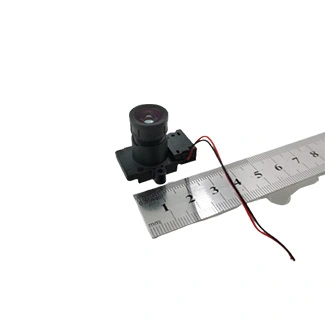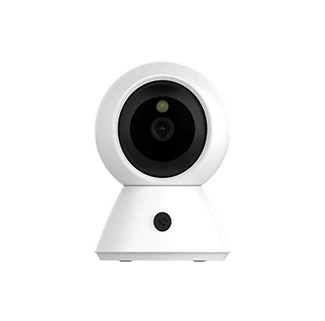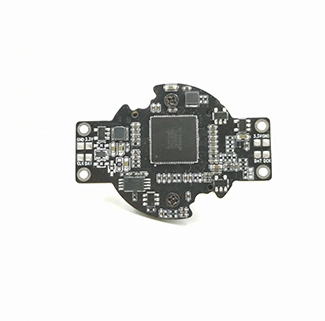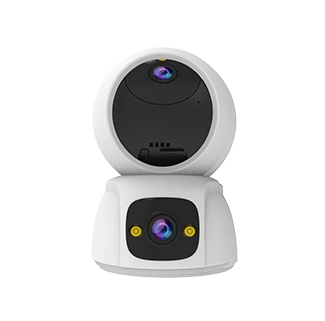
Selecting a 4K MIPI camera module requires more than matching an 8MP image sensor to a MIPI CSI-2 connector. The camera’s output format, lane configuration, frame rate, pixel depth, host processor, sensor driver and ISP capability must work together as one imaging pipeline.
A module may be capable of capturing 3840 × 2160 images, but the target processor may not have enough CSI bandwidth, ISP throughput or memory performance to process that resolution at the required frame rate. A RAW camera may offer greater image-quality control, while a YUV camera can simplify integration when the host lacks a compatible RAW ISP.
A 4K MIPI camera module is an embedded camera that transfers approximately 3840 × 2160 image data from an image sensor to a compatible application processor through a MIPI CSI-2 interface.
This guide explains how to compare RAW and YUV output, choose between 2-lane and 4-lane MIPI CSI-2, estimate camera bandwidth and confirm whether a host processor can support the intended 4K camera configuration.
CK Vision provides custom 4K MIPI camera modules with application-specific image sensors, PCB or FPC structures, connectors, lenses, focus systems, sensor drivers and ISP tuning support.
What Defines a 4K MIPI Camera Module?
The term “4K camera” normally refers to an output mode close to 3840 × 2160 pixels. Since this resolution contains approximately 8.3 million pixels, a 4K camera usually requires an 8MP or higher-resolution image sensor.
However, sensor resolution alone does not confirm that a camera can provide 4K video at a specific frame rate. The complete output mode depends on:
Image sensor readout speed
Active resolution and sensor cropping mode
RAW, YUV or RGB pixel format
Pixel bit depth
MIPI lane number and lane rate
Frame blanking and CSI-2 protocol overhead
Host CSI receiver capability
ISP and memory bandwidth
Video encoder and application requirements
The MIPI Alliance CSI-2 specification overview describes CSI-2 as a lane-scalable, high-speed protocol used to transmit still and video images from image sensors to application processors. CSI-2 commonly operates over MIPI D-PHY or C-PHY physical interfaces.
For most embedded projects, the customer must confirm the exact resolution, frame rate and format rather than asking only for “a 4K MIPI camera.” A module designed for 4K still-image capture may have different bandwidth and ISP requirements from one designed for continuous 4K video.
RAW vs YUV Output: Which Camera Architecture Is Better?
A RAW MIPI camera sends minimally processed sensor data to the host ISP, while a YUV camera sends image data that has already passed through most color and image-quality processing.
| Item | RAW MIPI Camera | YUV/RGB MIPI Camera |
|---|---|---|
| Image processing | Primarily completed by the host ISP | Primarily completed inside the sensor or module |
| Typical formats | RAW8, RAW10, RAW12 or RAW14 | YUV422, RGB565 or another processed format |
| Host requirements | Sensor driver, CSI receiver and compatible RAW ISP | CSI receiver and support for the selected processed format |
| Image-quality control | High control over AE, AWB, color, noise and sharpening | More dependent on the sensor or module firmware |
| Integration effort | Usually higher | Can be lower on compatible platforms |
| Best suited for | Embedded AI, robotics and customized imaging systems | Systems with limited host ISP capability or fixed image requirements |
Choose RAW Output for Deeper Image Tuning
RAW Bayer data contains the sensor samples before full color reconstruction and image-quality processing. The Linux Kernel’s RAW Bayer format documentation explains that Bayer formats contain alternating red, green and blue samples that must be processed to produce a complete color image.
A host ISP normally performs:
Black-level and defective-pixel correction
Demosaicing
Automatic exposure and white balance
Color correction and gamma
Lens-shading correction
Noise reduction and sharpening
HDR or wide-dynamic-range processing
Distortion correction
RAW output is generally the better choice when the camera must be optimized for a specific lens, lighting environment or recognition target. It also allows the host to use advanced ISP features that may not be available inside a processed-output sensor.
The trade-off is development effort. The processor must support the sensor’s Bayer pattern, bit depth, resolution and frame rate. A platform-specific sensor driver and ISP calibration are usually required.
Choose YUV or RGB for Simplified Integration
A YUV or RGB camera processes much of the image inside the sensor or camera module before transmission. The host receives color image data instead of unprocessed Bayer samples.
This architecture may be useful when:
The host processor does not provide a compatible RAW ISP.
The application requires a stable, predefined image output.
Development time is more important than extensive image tuning.
The sensor’s integrated ISP already supports the required image controls.
Processed output is not automatically driver-free. The host still needs to initialize the sensor, configure its output mode and receive the MIPI stream. Available resolutions, frame rates and controls are determined by the sensor and firmware.
2-Lane vs 4-Lane MIPI CSI-2
A 2-lane MIPI camera divides image data across two data lanes, while a 4-lane camera distributes the stream across four lanes to provide more total bandwidth at the same per-lane rate.
MIPI D-PHY is widely used for embedded cameras because it combines high-speed data transfer with low-power signaling. The MIPI D-PHY specification overview describes its use in cameras for mobile devices, drones, surveillance systems and industrial robots.
| Selection Item | 2-Lane MIPI CSI-2 | 4-Lane MIPI CSI-2 |
|---|---|---|
| Total bandwidth | Lower at the same lane rate | Approximately twice the 2-lane capacity |
| PCB/FPC routing | Fewer high-speed differential pairs | More high-speed pairs and connector pins |
| Typical use | Lower frame rates or moderate data modes | 4K, higher frame rates or higher bit depths |
| Host requirement | Host must provide a compatible 2-lane CSI port | Host must expose four compatible CSI lanes |
| Mechanical design | May simplify compact FPC and connector designs | May require a wider connector or more complex routing |
| Design priority | Compact structure and moderate bandwidth | Higher throughput and additional mode margin |
A 4-lane interface is not automatically faster in every product. The sensor register mode, lane rate and host configuration must all be set correctly. A 4-lane camera operating at a low per-lane rate may transfer less data than a 2-lane camera operating at a substantially higher supported lane rate.
The host connector must also expose the required lanes. A processor may support four CSI lanes internally but divide them across two separate 2-lane camera ports. In that case, it may not accept one 4-lane camera without a different board configuration.
How Much Bandwidth Does a 4K MIPI Camera Need?
The minimum active-image payload is determined by resolution, frame rate and bits per pixel.
Active Payload = Width × Height × Frame Rate × Bits per Pixel
The calculation does not include CSI-2 packet overhead, horizontal and vertical blanking, embedded metadata or engineering margin. The required lane rate must therefore be higher than the active payload alone.
| 4K Output Mode | Active Image Payload | Payload per Lane on 2 Lanes | Payload per Lane on 4 Lanes |
|---|---|---|---|
| 3840 × 2160, 30 fps, RAW10 | Approximately 2.49 Gbps | Approximately 1.24 Gbps | Approximately 0.62 Gbps |
| 3840 × 2160, 30 fps, RAW12 | Approximately 2.99 Gbps | Approximately 1.49 Gbps | Approximately 0.75 Gbps |
| 3840 × 2160, 30 fps, YUV422 | Approximately 3.98 Gbps | Approximately 1.99 Gbps | Approximately 1.00 Gbps |
| 3840 × 2160, 60 fps, RAW10 | Approximately 4.98 Gbps | Approximately 2.49 Gbps | Approximately 1.24 Gbps |
| 3840 × 2160, 60 fps, RAW12 | Approximately 5.97 Gbps | Approximately 2.99 Gbps | Approximately 1.49 Gbps |
These figures demonstrate why 2-lane MIPI may support one 4K mode but not another. A 4K RAW10 stream at 30 fps can require substantially less bandwidth than 4K YUV422 or 4K RAW12 at 60 fps.
Before approving a camera, confirm:
The sensor’s actual per-lane output rate
The host’s maximum supported per-lane rate
The number of lanes routed to the connector
The active and blanking dimensions of the sensor mode
The RAW or processed pixel format
The host ISP’s maximum pixel throughput
The memory and video-encoding bandwidth
Do not select a lane configuration using only the theoretical calculation. The final mode should be tested on the target processor and production PCB.
Host Processor, Sensor Driver and ISP Requirements
A host processor must receive the MIPI stream, control the image sensor and process the selected image format at the required resolution and frame rate.
The processor datasheet or hardware manual should confirm:
Supported MIPI CSI-2 version and physical layer
Number of CSI ports and lanes per port
Maximum supported lane rate
Supported RAW and YUV formats
Maximum input resolution and pixel rate
ISP input and output limitations
Memory bandwidth and encoder capability
Linux, Android or proprietary BSP support
Sensor Driver
The sensor driver initializes the camera and defines the modes available to the operating system. Typical driver responsibilities include:
Power-supply sequencing
Reset and power-down GPIO control
Input-clock configuration
I2C register programming
Resolution and frame-rate mode tables
Exposure and gain controls
MIPI lane and pixel-format settings
Streaming start and stop
NVIDIA’s official camera sensor driver programming guide demonstrates how platform camera frameworks require mode properties, control handling and sensor-specific driver configuration.
CK Vision can evaluate camera sensor driver support after reviewing the processor model, BSP or kernel version, sensor datasheet, register configuration and camera schematic.
ISP and Image Quality
A RAW camera also needs an ISP pipeline calibrated for the selected sensor and lens. A driver can make the camera stream correctly without producing optimized image quality.
Raspberry Pi’s official camera software documentation describes how its libcamera implementation uses sensor-specific tuning files for exposure, white balance, lens-shading correction and other image-processing algorithms.
Typical ISP tuning requirements include:
Black-level and defective-pixel correction
Lens-shading calibration
Automatic exposure and white balance
Color correction matrices
Noise-reduction balance
Sharpening and texture control
HDR and tone mapping
Lens-distortion correction
Project-specific camera ISP tuning services can be used to optimize the 4K camera for its actual lens, illumination, enclosure and target scene.
Rolling Shutter vs Global Shutter for 4K Imaging
Rolling shutter and global shutter describe how the image sensor exposes its pixels; they do not describe the camera’s resolution.
A rolling-shutter sensor exposes image rows at slightly different times. This architecture is widely used in high-resolution cameras because it provides a broad choice of sensors, pixel sizes and low-light configurations.
A global-shutter sensor exposes the complete frame within the same time window, reducing geometric distortion when the object or camera is moving rapidly.
| Requirement | Rolling Shutter | Global Shutter |
|---|---|---|
| High-resolution availability | Broad sensor choice | More limited at 4K and above |
| Motion distortion | Possible with moving objects | Significantly reduced |
| Low-light options | Often broader | Depends strongly on sensor design |
| Typical use | Smart terminals, document capture and general embedded imaging | Robotics, barcode capture, navigation and industrial inspection |
| Main selection factor | Detail, sensitivity and sensor availability | Motion accuracy and synchronization |
Do not assume that every global-shutter MIPI camera supports 4K. If both 4K resolution and global exposure are required, confirm the actual sensor resolution, frame rate, lane rate, pixel format and host-processing requirements.
4K MIPI Camera Module Selection Checklist
A complete camera requirement should define the sensor output, host platform, optics and mechanical design together.
Before requesting a sample, provide the following information:
Processor model: Include the exact SoC and carrier-board configuration.
Operating system: State the Linux kernel, Android version or platform BSP.
Required video modes: List every resolution and sustained frame rate.
Output format: Specify RAW10, RAW12, YUV or another required format.
CSI configuration: Confirm the available lane number, per-lane rate and connector pinout.
Shutter type: Define whether rolling shutter is acceptable.
Lens requirement: Provide field of view, working distance, distortion and focus type.
Mechanical space: Submit PCB/FPC dimensions and enclosure drawings.
Image-quality target: Describe lighting, dynamic range, color and noise requirements.
Driver status: Confirm whether the sensor is already supported in the target BSP.
For a standard 4K-class option, review CK Vision’s 8MP / 4K MIPI CSI-2 camera module. Projects requiring substantially higher still-image resolution can also evaluate the 48MP IMX586 MIPI camera module, subject to processor bandwidth and ISP compatibility.
Frequently Asked Questions
Is an 8MP MIPI camera the same as a 4K camera?
An 8MP-class sensor may provide a 3840 × 2160 output mode, but not every 8MP sensor supports the same 4K frame rate or pixel format. Check the sensor mode table and host compatibility before describing the complete camera as 4K.
Can a 2-lane MIPI camera support 4K at 30 fps?
It may be possible if the sensor and host support a sufficient per-lane rate and the selected format fits within the available bandwidth. RAW10 requires less bandwidth than RAW12 or YUV422. Blanking and CSI-2 overhead must also be included.
Do I need four MIPI lanes for 4K at 60 fps?
Four lanes are often more practical for 4K at higher frame rates, but the final requirement depends on the bit depth and per-lane capability. Both the camera and host must support the same lane configuration and speed.
Is RAW image quality better than YUV?
RAW output is not automatically better, but it provides more control over image processing. Final quality depends on the host ISP, tuning, sensor, lens and lighting. A well-tuned YUV camera may outperform a poorly tuned RAW implementation.
Can a RAW MIPI camera work without an ISP?
The host may capture RAW Bayer data without a complete ISP, but it will not obtain a fully processed color image unless software or hardware performs demosaicing, exposure, white balance, color correction and other processing.
Does a MIPI camera need a driver?
Yes. The host normally needs a sensor driver to control power, clocks, registers, exposure, gain and streaming modes. Existing support depends on the processor, operating system, BSP version and exact sensor model.
Can a camera designed for one processor work on another processor?
The sensor may be reusable, but the FPC pinout, voltage rails, clock, CSI lane mapping, driver and ISP settings may need to change. Compatibility should be evaluated for the new processor before hardware production.
What information is needed for a custom 4K MIPI camera?
Provide the processor model, BSP version, CSI lane configuration, required resolution and frame rate, RAW or YUV format, enclosure drawing, connector pinout, lens FOV, working distance and expected production quantity.
Conclusion
The correct 4K MIPI camera module is determined by the complete imaging architecture rather than resolution alone. RAW output offers greater ISP control, while YUV or RGB can simplify integration. A 4-lane interface provides more bandwidth, but 2-lane operation may still support selected 4K modes when the per-lane rate and pixel format are appropriate.
Before selecting a module, confirm the sensor mode, active and blanking dimensions, lane rate, host CSI receiver, ISP throughput, driver availability and mechanical design. Send CK Vision your processor, camera mode, connector and lens requirements for a custom compatibility evaluation.