When engineers select a 4K USB camera module for an embedded vision system, image resolution is only one part of the decision. The USB interface, video compression format, host processing capability, cable length and required frame rate all affect whether the camera can deliver stable 4K video in the final device.
USB 2.0 remains widely used because of its broad compatibility and relatively simple integration. USB 3.0 provides substantially more available bandwidth and is generally better suited to higher-data-rate imaging, lower-latency applications and uncompressed video transmission. However, USB 3.0 is not automatically the best choice for every embedded project.
This guide compares USB 2.0 and USB 3.0 for 4K camera modules and explains how to select the correct interface for industrial inspection, robotics, smart terminals, document imaging, laboratory equipment and other embedded vision applications.
What Is a 4K USB Camera Module?
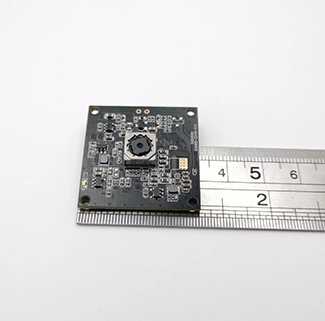
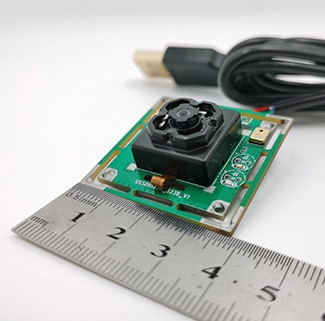
A 4K USB camera module is an embedded imaging board that captures images at approximately 3840 × 2160 resolution and transfers the video data to a host device through a USB interface. It normally includes an image sensor, lens, image-processing circuitry, PCB or FPC, USB controller and firmware.
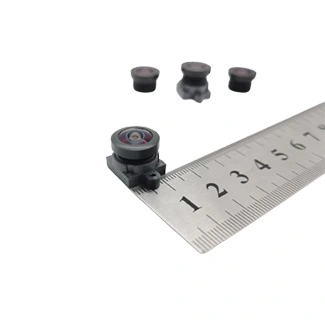
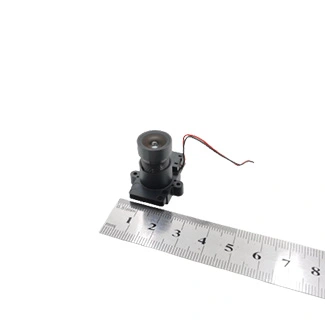
For applications requiring high-resolution image capture, CK Vision’s Sony IMX415 4K USB camera module uses a 1/2.8-inch image sensor and supports 3840 × 2160 MJPEG video at up to 30 fps. The module can be configured with autofocus and customized PCB/FPC, cable, connector, lens, field of view and image parameters for OEM embedded vision projects.
The interface selected for such a module determines how much image data can be transferred, which video formats are practical and how the camera interacts with the host system.
USB 2.0 vs USB 3.0: Key Differences
USB 2.0 has a theoretical signaling rate of up to 480 Mbps, while USB 3.0 offers a theoretical rate of up to 5 Gbps. The usable bandwidth is lower than the theoretical rate because protocol overhead, host-controller performance, cable quality and software processing all affect actual transmission.
| Comparison Item | USB 2.0 | USB 3.0 |
|---|---|---|
| Theoretical signaling rate | Up to 480 Mbps | Up to 5 Gbps |
| Typical 4K video method | Compressed MJPEG output | Compressed or higher-data-rate output |
| Uncompressed 4K transmission | Usually restricted by available bandwidth | More practical, depending on frame rate and pixel format |
| Host compatibility | Very widely available | Requires a USB 3.0 host port and controller |
| Cable sensitivity | Relatively easier to integrate | More sensitive to cable quality and signal integrity |
| Latency potential | May increase when heavy compression is required | Better suited to lower-latency, high-data-rate configurations |
| System cost | Generally lower | Potentially higher because of the controller, PCB and cable requirements |
| Best suited to | General monitoring, smart terminals and compressed 4K streaming | Machine vision, robotics and high-detail industrial imaging |
Can USB 2.0 Transmit 4K Video?
USB 2.0 can transmit 4K video when the image data is sufficiently compressed. MJPEG is commonly used because each frame is compressed before being transferred through the USB interface. This reduces the required transmission bandwidth compared with uncompressed formats such as YUYV.
For example, a 3840 × 2160 uncompressed video stream contains a large amount of data in every frame. At 30 fps, the required bandwidth can exceed what USB 2.0 can reliably provide. MJPEG reduces the amount of transmitted data, making 4K at 30 fps possible on some USB 2.0 camera configurations.
However, the host device must decode the MJPEG stream. A weak embedded processor may experience high CPU usage, delayed image display or unstable frame rates even if the USB connection itself is functioning correctly.
USB 2.0 may be appropriate when:
The camera outputs compressed MJPEG video;
The host can decode 4K MJPEG efficiently;
Low latency is not the primary requirement;
The application does not require uncompressed image data;
The product must support a wide range of existing USB hosts;
System cost and integration simplicity are important.
When Is USB 3.0 Better for a 4K Camera?
USB 3.0 is generally the better option when the application requires more transmission bandwidth, more stable high-resolution streaming or reduced dependence on heavy image compression.
Industrial inspection and machine vision systems often need to analyze small surface defects, printed characters, labels or assembly features. Compression artifacts may reduce the visibility of fine details, especially when the image is enlarged or processed by computer vision algorithms.
USB 3.0 may be preferable when:
The application requires high-detail 4K image processing;
The host needs a higher-data-rate or less-compressed video stream;
Lower end-to-end latency is important;
The camera is used for machine vision or AI recognition;
The project requires a higher frame rate at lower resolutions;
The host platform has a reliable USB 3.0 controller;
The cable length and electromagnetic environment can be controlled.
For projects focused specifically on high-speed USB transmission, CK Vision also provides a dedicated USB 3.0 camera module for industrial automation, machine vision and embedded imaging applications.
MJPEG vs YUYV for 4K USB Cameras
The video output format is one of the most important factors when comparing USB 2.0 and USB 3.0. Two common formats are MJPEG and YUYV.
| Video Format | Advantages | Limitations | Recommended Interface |
|---|---|---|---|
| MJPEG | Reduces USB bandwidth requirements and supports higher resolutions over limited bandwidth | Requires host decoding and may introduce compression artifacts | USB 2.0 or USB 3.0 |
| YUYV | Provides uncompressed image data for image processing | Requires substantially more bandwidth | Usually USB 3.0 for high resolutions |
MJPEG is often suitable for smart terminals, document capture, video communication and general embedded monitoring. YUYV may be preferred for machine vision, scientific imaging and applications where the host requires uncompressed pixel data.
The correct format should be selected according to the host processor, required image quality, algorithm pipeline, storage capacity and acceptable latency.
How the Host System Affects 4K Camera Performance
A camera module does not operate independently. The host controller, processor, memory, operating system and application software all influence actual video performance.
Before confirming a USB interface, evaluate the following host-system requirements:
| Host-System Factor | Why It Matters |
|---|---|
| USB controller | Determines whether the host can maintain the required transfer rate |
| CPU or hardware decoder | Affects MJPEG decoding speed and CPU usage |
| Memory bandwidth | Influences the handling of large 4K image frames |
| Operating system | Determines UVC and camera-control compatibility |
| Application software | Must support the selected resolution, frame rate and format |
| USB power supply | Must provide stable voltage to the camera module |
A USB 3.0 camera connected to a weak embedded processor may still perform poorly if the host cannot process the incoming image data. Similarly, a USB 2.0 MJPEG camera may perform well when the host includes efficient hardware decoding.
Windows, Linux and Android Compatibility
Many USB camera modules use the USB Video Class protocol, commonly referred to as UVC. A UVC-compatible camera can often communicate with Windows, Linux and other supported systems through standard video drivers.
Compatibility should nevertheless be verified on the final host platform.
Windows Systems
Windows usually provides broad support for UVC cameras. The development team should still confirm that the required resolution, frame rate, video format and camera controls are available through the target application.
Linux Systems
Linux integration commonly uses the V4L2 framework. Engineers should test the camera with the target kernel, USB controller and video-processing application. Embedded Linux boards can vary significantly in their USB bandwidth and decoding capability.
Android Devices
Android compatibility depends on USB OTG support, UVC support, available USB power and the application software. Not every Android tablet, terminal or embedded board supports external USB cameras in the same way.
The selected camera should be tested with the exact Android hardware and system build before mass production.
Cable Length and Signal Integrity
Cable design is especially important for USB 3.0. Its higher signaling rate makes the connection more sensitive to conductor quality, shielding, connector design, PCB routing and electromagnetic interference.
A cable that works during a short bench test may become unstable after it is routed near motors, wireless modules or switching power supplies inside the final product.
When selecting a cable, confirm:
The required total cable length;
The connector type and orientation;
The cable route and bend radius;
Whether shielding is required;
The voltage available at the camera end;
The operating resolution and frame rate;
The electromagnetic environment inside the product.
Longer USB 3.0 connections may require higher-quality cables, optimized PCB routing or an active extension solution. All cable configurations should be tested inside the complete product.
USB 2.0 vs USB 3.0 for Common Embedded Vision Applications
| Application | Recommended Interface | Reason |
|---|---|---|
| Smart kiosk or terminal | USB 2.0 or USB 3.0 | Depends on required image quality and host capability |
| Document and ID capture | USB 2.0 with MJPEG or USB 3.0 | Autofocus and image detail are usually more important than very low latency |
| Industrial defect inspection | USB 3.0 | Provides more bandwidth for detailed image analysis |
| Robotics and AI vision | USB 3.0 | Better suited to high-resolution, lower-latency image input |
| General embedded monitoring | USB 2.0 | Compressed video may provide sufficient performance at lower cost |
| Laboratory imaging | USB 3.0 | Supports higher image-data throughput and detailed analysis |
| Telepresence equipment | USB 2.0 or USB 3.0 | Selection depends on compression, latency and host resources |
| AI security monitoring | USB 3.0 | Provides clearer input for recognition, cropping and classification |
How to Choose the Correct Interface
The following process can help development teams select between USB 2.0 and USB 3.0.
Define the required resolution and frame rate. Confirm whether the application truly needs continuous 4K at 30 fps or only requires occasional high-resolution image capture.
Confirm the video format. Determine whether compressed MJPEG is acceptable or whether the image-processing pipeline requires uncompressed output.
Evaluate the host hardware. Check the USB controller, decoding capability, CPU performance and memory bandwidth.
Define the latency requirement. Real-time robotic control and industrial inspection may require lower latency than document scanning or general monitoring.
Confirm the cable length. Longer cables and electrically noisy environments require additional signal-integrity validation.
Test the complete system. Validate the camera, cable, host and application software together under actual operating conditions.
OEM Customization for 4K USB Camera Projects
Interface selection is only one part of an embedded camera design. The module may also require mechanical, optical and firmware customization.
| Customization Item | Available Project Options |
|---|---|
| USB interface | USB 2.0 or USB 3.0 configuration |
| PCB/FPC | Custom size, shape, mounting holes and component layout |
| Connector | USB-A, USB Type-C, board connector or custom cable assembly |
| Cable | Custom length, shielding, direction and connector position |
| Lens | Field of view, focal length, aperture and distortion options |
| Focus | Autofocus, fixed focus or customized close focus |
| IR filter | Standard IR-cut or application-specific filter |
| Image parameters | Exposure, gain, white balance, sharpness and color adjustment |
| Firmware | UVC controls and project-specific settings |
To receive an accurate camera recommendation, provide the enclosure drawing, required resolution, frame rate, output format, host platform, cable length, working distance, field of view and estimated annual volume.
Frequently Asked Questions
Can USB 2.0 support a 4K camera module?
Yes, USB 2.0 can support some 4K camera configurations when compressed video such as MJPEG is used. Actual performance depends on the frame rate, compression level, USB controller and host decoding capability.
Is USB 3.0 required for 4K at 30 fps?
Not always. A compressed 4K MJPEG stream may be transmitted through USB 2.0. USB 3.0 is preferable when the project requires more bandwidth, lower compression, lower latency or high-data-rate image processing.
Which interface is better for machine vision?
USB 3.0 is generally more suitable for machine vision because it provides more available bandwidth for detailed image data. The final choice should also consider the frame rate, image format, latency and host processing requirements.
What is the difference between MJPEG and YUYV?
MJPEG compresses each video frame, reducing the amount of data transferred through USB. YUYV is an uncompressed format that requires more bandwidth but can be preferable for certain computer vision and image-processing applications.
Does USB 3.0 always provide lower latency?
USB 3.0 provides more bandwidth, which can help reduce transmission delays, but total latency also depends on sensor exposure, image processing, compression, host decoding and application software.
Can a USB 3.0 camera work on a USB 2.0 port?
Some camera configurations may be backward compatible, but the available resolution, frame rate or output format may be reduced. Compatibility must be confirmed for the specific camera firmware and host platform.
How long can the USB cable be?
The reliable cable length depends on the USB version, cable quality, shielding, power requirements, resolution and operating environment. Longer USB 3.0 cables usually require more careful signal-integrity evaluation.
Should I choose USB 2.0 or USB 3.0 for an Android device?
The decision depends on the Android hardware, OTG support, UVC compatibility, available USB power and application software. The camera should be tested with the final Android device before production.
Conclusion
USB 2.0 can be a practical choice for compressed 4K MJPEG video, general monitoring, smart terminals and projects that prioritize compatibility and lower integration cost. USB 3.0 is more suitable for industrial inspection, robotics, AI vision and applications that require greater bandwidth, less compression or lower latency.
The correct interface cannot be selected from bandwidth specifications alone. The camera module, video format, cable, host controller, processor and software must be evaluated as one complete embedded vision system.
For an engineering recommendation, send CK Vision your required resolution, frame rate, video format, host platform, cable length, working distance, field of view and enclosure drawing. The USB interface, lens, PCB/FPC, connector and image parameters can then be evaluated according to the actual project requirements.