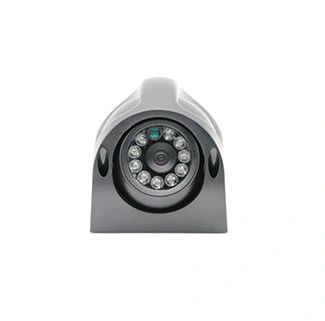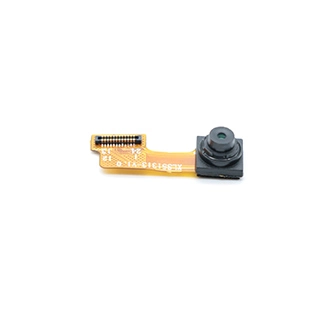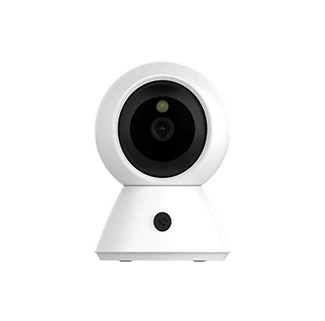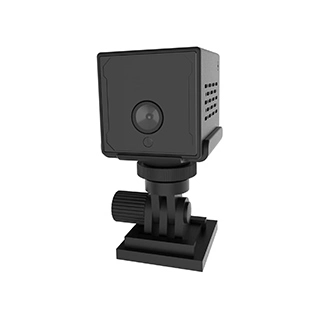
A 4K USB camera module should be selected according to the complete imaging system rather than resolution alone. The image sensor, USB interface, video format, frame rate, lens, focus method, host processor and enclosure must work together to deliver stable 3840 × 2160 video.
An 8MP sensor may have enough pixels for 4K output, but that does not automatically mean the completed camera can transmit 4K video at 30 fps. The final output depends on sensor readout speed, ISP processing, USB bridge capability, MJPEG or YUYV format, cable quality and host performance.
A 4K USB camera module is a board-level embedded camera that captures approximately 3840 × 2160 image data and transfers video to a host through a USB interface.
This guide explains how to evaluate a USB camera module for 4K embedded imaging, including sensor selection, frame-rate verification, fixed focus versus autofocus, lens configuration, UVC compatibility and OEM customization.
For projects requiring a ready-to-evaluate configuration, CK Vision provides a customizable 4K USB camera module based on the Sony IMX415 sensor, with autofocus, configurable optics and USB 2.0 or USB 3.0 options.
What Is Included in a 4K USB Camera Module?
A complete 4K camera module normally includes more than an image sensor. Its main components may include:
An 8MP or higher-resolution CMOS image sensor
A fixed-focus or autofocus lens
A rigid PCB or flexible FPC structure
A USB bridge controller
Image-processing firmware
A USB cable and connector
Optional IR filters, LEDs, microphones or GPIO functions
The sensor first captures the image. Its output is then processed or converted into a format such as MJPEG or YUYV before being transmitted to the host. The operating system recognizes the completed module as a USB video device when the camera uses a compatible USB Video Class implementation.
Microsoft provides a system USB Video Class driver for compliant UVC devices, allowing many USB cameras to operate without a separate proprietary video driver. More details are available in the official Microsoft USB Video Class driver overview.
However, UVC compatibility does not guarantee that every computer, embedded board or Android device can process 4K video smoothly. The host must support the selected resolution, frame rate, format, power requirement and USB transfer speed.
How to Verify True 4K Resolution and Frame Rate
A true 4K USB camera configuration should specify the USB output resolution, video format and sustained frame rate together.
A supplier may describe a product as a 4K camera because its sensor contains more than eight million pixels. That description is incomplete unless the finished module can transmit a defined 4K mode to the host.
Before selecting a camera, verify the following:
| Camera Claim | What Should Be Confirmed? |
|---|---|
| 4K resolution | Does the USB output provide 3840 × 2160 rather than only a high-resolution still image? |
| 4K at 30 fps | Is 30 fps supported in MJPEG, YUYV or both? |
| USB 3.0 | Does the camera, cable, connector and host all support a SuperSpeed connection? |
| UVC compliant | Which operating systems, controls and video modes have been validated? |
| Autofocus | What focus range, VCM hardware and control method are provided? |
| HDR | Is HDR available in the sensor, firmware or completed USB output mode? |
| Low-light performance | What lens, exposure, gain and illumination conditions were used during testing? |
A sensor’s maximum resolution does not define the completed USB stream. The camera bridge and firmware may support only selected combinations of resolution, format and frame rate.
For example, a camera might provide:
3840 × 2160 at 30 fps in MJPEG
3840 × 2160 at a lower frame rate in YUYV
1920 × 1080 at 60 fps for smoother video
Lower resolutions for reduced host-processing load
Request a complete resolution and frame-rate table before approving a sample. The stated performance should be tested using the intended cable, operating system, application and host controller.
Choosing the Image Sensor for 4K USB Output
The image sensor determines the available resolution, readout speed, pixel size, sensitivity, shutter behavior and optical format of the camera.
A 3840 × 2160 image contains approximately 8.3 million pixels, so most 4K modules use an 8MP or higher-resolution sensor. The best sensor is not necessarily the one with the highest pixel count. It must match the project’s lighting, motion, frame-rate and lens requirements.
| Sensor Factor | Why It Matters |
|---|---|
| Effective resolution | Determines whether the sensor can provide a native 4K output mode |
| Sensor format | Affects lens image-circle requirements, module dimensions and field of view |
| Pixel size | Influences sensitivity, noise and detail under limited illumination |
| Maximum readout speed | Limits the available frame rate at full resolution |
| Rolling or global shutter | Determines how moving targets are exposed and whether motion distortion may appear |
| Dynamic-range modes | Affect highlight and shadow detail in high-contrast environments |
| ISP compatibility | Influences color, noise reduction, exposure and final image quality |
CK Vision’s CK-USB-4K-V2.0 uses the Sony IMX415, a 1/2.8-type CMOS image sensor with approximately 8.46 million effective pixels. Sony’s official IMX415 product flyer provides sensor-level information for engineering evaluation.
Sensor specifications should not be presented as completed module specifications. The final USB resolution, video format, autofocus behavior and operating temperature must be validated after the sensor is combined with the lens, bridge controller, firmware, PCB and cable.
MJPEG vs YUYV for 4K Video
MJPEG compresses each frame before USB transmission, while YUYV transfers processed but largely uncompressed YUV 4:2:2 image data.
MJPEG is commonly used for 4K USB cameras because compression reduces the amount of data transmitted through the USB interface. It can help a camera achieve a higher resolution or frame rate on a bandwidth-limited connection.
YUYV provides predictable, uncompressed frame data without JPEG compression artifacts, but its bandwidth requirement is much higher.
| Comparison Item | MJPEG | YUYV |
|---|---|---|
| Data compression | JPEG compression is applied to each frame | Uncompressed YUV 4:2:2 data |
| USB bandwidth | Lower and variable | Higher and predictable |
| Host workload | Requires JPEG decoding | Requires less decompression processing |
| Image artifacts | Compression artifacts may appear | No JPEG compression artifacts |
| Recommended use | 4K streaming, recording and bandwidth-limited hosts | Inspection, measurement and computer-vision processing |
MJPEG is not automatically the better format. If the host cannot decode 4K MJPEG in real time, the application may still experience frame drops or high CPU usage. YUYV may be preferred when image-analysis accuracy is more important and the interface has sufficient bandwidth.
The correct choice depends on the required frame rate, acceptable compression, host decoding capacity and whether the image is intended for human viewing or machine analysis.
USB 2.0 vs USB 3.0 for a 4K Camera Module
USB 2.0 can support selected compressed 4K modes, while USB 3.0 provides more bandwidth for higher frame rates, lower compression or uncompressed image formats.
The USB-IF identifies USB 3.2 Gen 1 as a 5 Gbps signaling category. This is a theoretical transfer rate rather than the guaranteed image payload available to a camera. Protocol overhead and system limitations reduce usable throughput. The transfer categories are summarized by the official USB-IF USB 3.2 specification overview.
| Selection Factor | USB 2.0 | USB 3.0 |
|---|---|---|
| Available bandwidth | More limited | Substantially higher |
| 4K transmission | Usually depends on MJPEG compression | Provides more flexibility for 4K modes |
| YUYV output | Limited at high resolution | More suitable for higher-data-rate output |
| Host availability | Widely available | Requires a SuperSpeed host port and controller |
| Cable design | Generally more tolerant | Signal integrity and cable quality are more critical |
| Recommended projects | Compressed video, document capture and standard terminals | Industrial inspection, robotics and high-frame-rate imaging |
The final interface should be selected according to the exact video mode. A project that needs 4K MJPEG at 15 fps has different bandwidth requirements from one that needs 4K YUYV at 30 fps.
For a more detailed interface comparison, review USB 2.0 vs USB 3.0 for 4K camera modules.
Fixed Focus vs Autofocus for 4K Imaging
Fixed-focus cameras are adjusted for a defined distance range, while autofocus cameras change the lens position to focus on targets at different distances.
When to Choose Fixed Focus
Fixed focus is suitable when the installation position and target distance remain stable. Once the lens is adjusted and secured, the camera does not need to search for focus during operation.
Typical fixed-focus applications include:
Industrial inspection at a controlled working distance
Barcode and label capture
Equipment monitoring
Robotic cameras with a defined target range
Document systems with fixed mechanical positioning
Fixed focus can provide consistent behavior and simplify firmware, but the lens must be adjusted for the correct working distance and depth of field.
When to Choose Autofocus
Autofocus is useful when the target distance changes or when one device must capture different objects. Common applications include smart terminals, document cameras, video-conferencing equipment and multi-purpose embedded imaging systems.
An autofocus camera requires more than an autofocus lens. The complete design may include:
A voice-coil motor or other movable lens mechanism
A focus driver circuit
Firmware control
An autofocus algorithm
Target contrast and lighting suitable for focus detection
When requesting autofocus, specify the nearest focus distance, farthest target distance, acceptable focus time and expected lighting conditions. The CK-USB-4K-V2.0 can be configured with autofocus from approximately 5 cm to infinity, subject to the selected lens and project validation.
Lens, Field of View and Working Distance
A 4K sensor cannot compensate for an incorrectly selected lens.
The lens must produce sufficient resolution across the sensor while providing the required field of view, focus range, aperture and distortion performance.
A wider lens captures more of the scene but may increase barrel distortion and reduce the number of pixels covering each target feature. A narrower lens captures a smaller area but provides more pixels on distant or small objects.
| Application | Lens Priority | Focus Direction |
|---|---|---|
| Document scanning | Low distortion and consistent corner sharpness | Autofocus or fixed known distance |
| Industrial inspection | Enough pixels on the target and controlled FOV | Fixed focus |
| Smart terminal | Moderate-wide viewing angle | Autofocus |
| Video conferencing | Wide scene coverage with facial detail | Autofocus |
| Laboratory imaging | Close focus and low distortion | Macro or custom focus |
| Robotics | Compact optics and sufficient depth of field | Application-specific |
For a custom lens evaluation, provide the target size, camera-to-object distance, required visible area and smallest feature that must be recognized. A mechanical drawing is also useful because the enclosure opening can block part of a wide-angle lens.
Host Compatibility and UVC Integration
Host compatibility depends on the operating system, UVC implementation, USB controller, power supply, supported format and processing capability.
Windows
A compliant UVC camera can normally use Microsoft’s in-box USB Video Class driver. Vendor-specific controls, triggers or proprietary functions may still require extension units, an SDK or additional application software.
Linux
Linux commonly accesses USB cameras through the UVC driver and Video4Linux2 framework. The official Linux V4L2 documentation describes the userspace API used by video-capture applications.
The required MJPEG or YUYV modes should be verified on the target kernel and USB controller. Applications should enumerate the formats, resolutions and frame intervals reported by the camera instead of assuming every mode is supported.
Android
Android compatibility depends on the device implementation. The Android Open Source Project documents support for external USB cameras through Camera2 and the external camera HAL. See the official Android external USB camera documentation.
Before production, confirm:
USB host or OTG capability
UVC support in the Android system image
Camera2 or application-library support
Available USB power
MJPEG or YUYV decoding capability
4K processing and display performance
Testing one Android device does not confirm universal Android compatibility. The production host must be validated with the final camera firmware and cable.
OEM and Custom 4K USB Camera Module Options
OEM camera customization adapts the optical, mechanical, electrical and firmware design to the customer’s device.
| Custom Item | Available Evaluation |
|---|---|
| PCB or FPC | Shape, dimensions, mounting holes and component positions |
| Image sensor | Resolution, sensitivity, frame rate and shutter type |
| Lens | FOV, focal length, aperture, distortion, TTL and image circle |
| Focus | Fixed focus, autofocus or macro-focus configuration |
| USB interface | USB 2.0 or USB 3.0 according to the required video mode |
| Connector | USB-A, USB Type-C, board connector or custom cable assembly |
| Cable | Length, shielding, flexibility, direction and retention |
| Firmware | Resolution, frame rate, MJPEG/YUYV output and UVC controls |
| Image quality | Exposure, white balance, color, noise reduction and sharpening |
| Additional functions | LED, IR illumination, microphone, GPIO or trigger after evaluation |
When the default image parameters do not match the final lens, illumination or target scene, CK Vision’s camera ISP tuning services can be evaluated for exposure, AWB, color, lens shading, noise reduction and sharpness optimization.
Customers comparing different resolutions and structures can also review CK Vision’s complete USB camera module solutions.
How to Select a 4K USB Camera Module by Application
| Application | Main Selection Priority | Recommended Direction |
|---|---|---|
| Document capture | Detail, autofocus and low distortion | 4K MJPEG, autofocus and low-distortion lens |
| Industrial inspection | Stable frame output and pixels on target | Controlled FOV, fixed focus and USB 3.0 where required |
| Embedded AI device | Host compatibility and processing load | MJPEG or another host-supported processed format |
| Video conferencing | Autofocus and scene coverage | 4K, autofocus and moderate-wide FOV |
| Robotics | Latency, cable stability and depth of field | USB 3.0 and application-specific optics |
| Medical-device development | Mechanical size, working distance and validation | Custom PCB/FPC and lens configuration |
The recommended direction must still be validated in the complete device. Medical, scientific and regulated equipment may require additional electrical, thermal, material and compliance testing beyond the camera module itself.
Frequently Asked Questions
What is a 4K USB camera module?
A 4K USB camera module is a board-level camera that captures approximately 3840 × 2160 image data and transmits video to a host through USB. A complete module normally includes an image sensor, lens, PCB or FPC, USB bridge, firmware, cable and connector.
Does an 8MP USB camera always support 4K video?
No. An 8MP sensor has enough pixels for 4K output, but the completed camera must also support the required sensor readout mode, ISP processing, USB bridge bandwidth, firmware and output format. Confirm the USB resolution and frame-rate table.
Can USB 2.0 support a 4K camera module?
USB 2.0 can support selected compressed 4K modes, usually through MJPEG, but available frame rates may be limited. USB 3.0 provides more bandwidth for higher frame rates, lower compression or uncompressed output.
Is MJPEG or YUYV better for 4K video?
MJPEG is more practical when USB bandwidth is limited because it compresses each frame. YUYV avoids JPEG artifacts and can be better for image analysis, but it requires substantially more bandwidth. The correct format depends on the host and application.
Does a 4K UVC camera require a separate driver?
A compliant UVC camera can normally use the standard UVC driver provided by a supported operating system. Proprietary controls, trigger functions or custom features may still require an SDK or UVC extension implementation.
Should I choose fixed focus or autofocus?
Choose fixed focus when the camera position and target distance remain stable. Choose autofocus when the target distance changes or when one device must capture different objects. Autofocus also requires suitable hardware, firmware and target contrast.
Can the lens and field of view be customized?
Yes. The field of view, focal length, aperture, distortion, working distance, IR filter and focus type can be evaluated according to the enclosure and target scene. An enclosure drawing and target dimensions should be provided.
What information is required for a custom 4K USB camera?
Provide the required resolution, sustained frame rate, MJPEG or YUYV format, USB interface, host platform, operating system, PCB dimensions, cable length, connector, field of view, working distance, focus requirement and estimated production quantity.
Conclusion
Selecting a 4K USB camera module requires coordinated decisions about the sensor, frame rate, output format, interface, host, lens and mechanical design. An 8MP sensor or USB 3.0 connector alone does not guarantee stable 4K performance.
Verify the complete resolution–format–frame-rate table, confirm UVC compatibility on the production host and test the final cable and enclosure. For an OEM evaluation, send CK Vision your host specifications, video modes, mechanical drawing and optical requirements.