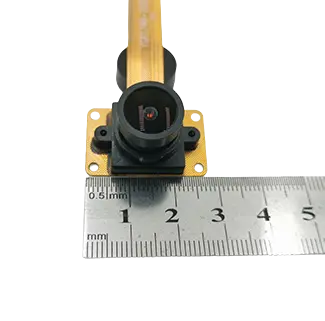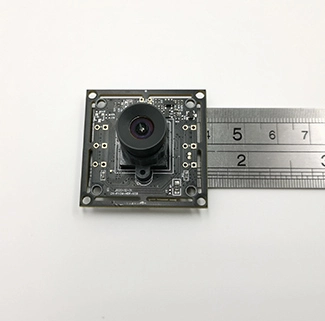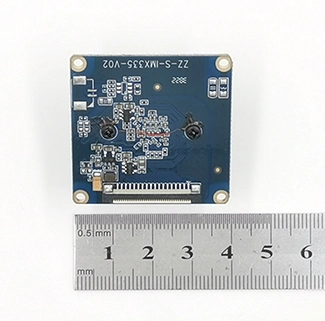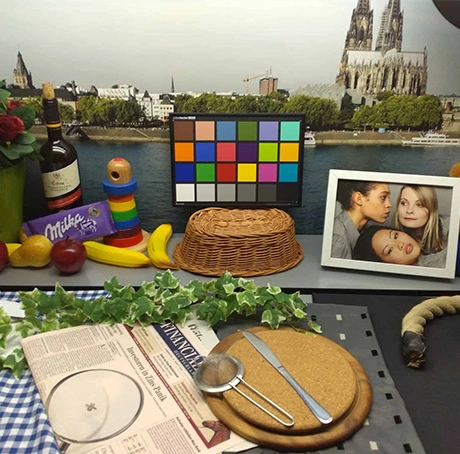
OV5648 and OV5640 are both 5-megapixel CMOS image sensors widely used in compact embedded camera designs. They share several basic characteristics, including a 1/4-inch optical format, 1.4 μm pixels and a maximum image size of approximately 2592 × 1944. However, the two sensors are based on different system architectures.
The OV5648 is primarily a RAW image sensor designed to work with an external image signal processor, USB bridge and firmware. The OV5640 is a system-on-chip image sensor with more image-processing functions integrated inside the sensor. This difference affects PCB design, firmware development, autofocus control, image tuning, power consumption and the overall process of converting the sensor into a complete USB camera module.
Therefore, the question is not simply whether OV5648 or OV5640 has better image quality. The correct choice depends on the embedded system architecture, required module dimensions, available image-processing resources, host platform and degree of customization required.
OV5648 vs OV5640: Quick Answer
OV5648 is generally more suitable for camera designs that use an external ISP or USB bridge and require greater control over image tuning and firmware. OV5640 may simplify projects that benefit from integrated image processing, JPEG compression and sensor-side autofocus control.
Neither sensor provides a native USB output. A complete OV5648 or OV5640 USB camera still requires a suitable USB bridge, firmware, lens and host-compatible video implementation. The better option therefore depends on the complete camera architecture rather than sensor resolution alone.
What Are the OV5648 and OV5640?
OV5648: A Compact 5MP RAW Image Sensor
The OV5648 is a 5MP CMOS image sensor based on OmniVision’s OmniBSI+ backside-illumination pixel architecture. According to the official OV5648 product brief, it uses a 1/4-inch optical format, 1.4 μm pixels and a two-lane MIPI interface.
The sensor outputs RAW image data rather than a ready-to-use USB video stream. When reviewing an ov5648 datasheet, engineers should also consider the external processing architecture required to turn the sensor into a complete camera solution. A complete OV5648 USB camera module therefore normally requires additional components, including an ISP or USB bridge controller, memory, power circuitry and firmware.
This external-processing architecture gives the camera developer more control over image parameters, USB output formats and project-specific functions. It can also support compact PCB or flexible FPC structures for products with restricted installation space.
OV5640: A 5MP System-on-Chip Sensor
The OV5640 is a 5MP system-on-chip camera sensor. OmniVision’s official OV5640 technical release describes an integrated camera architecture that combines the image sensor with image-processing, JPEG and automatic camera-control functions.
The sensor includes an ISP, JPEG compression, automatic exposure control, automatic white balance, automatic black-level calibration and autofocus control. It supports both a digital video port and a dual-lane MIPI interface.
Because more processing functions are integrated inside the OV5640, an OV5640-based design may require less external image-processing work than a RAW sensor architecture. However, the sensor still requires a suitable bridge or controller before it can operate as a USB camera.
OV5648 vs OV5640 Datasheet Summary and Key Specifications
| Comparison Item | OV5648 | OV5640 |
|---|---|---|
| Sensor resolution | 5MP, approximately 2592 × 1944 | 5MP, approximately 2592 × 1944 |
| Optical format | 1/4 inch | 1/4 inch |
| Pixel size | 1.4 μm × 1.4 μm | 1.4 μm × 1.4 μm |
| Sensor architecture | RAW image sensor | System-on-chip image sensor |
| Native image processing | Relies mainly on an external ISP or bridge solution | Includes an integrated ISP and automatic image controls |
| Native output interface | Two-lane MIPI | MIPI and parallel DVP |
| Native output format | 10-bit RAW RGB | Processed image formats with integrated JPEG support |
| Autofocus control | Depends on the external module design | Integrated autofocus control support |
| USB implementation | Requires an ISP, USB bridge and firmware | Requires a USB bridge, although image processing is more integrated |
| Image-tuning flexibility | Potentially greater with a configurable external ISP | More dependent on the integrated sensor processing pipeline |
| Typical design direction | Compact custom modules and external image tuning | Integrated processing and sensor-side automatic controls |
RAW Sensor vs Integrated ISP Sensor
The most important difference between OV5648 and OV5640 is where image processing occurs.
Light captured by an image sensor is initially converted into RAW pixel data. Before the image can be displayed as a normal color video stream, it usually passes through an image signal processor. The ISP performs operations such as demosaicing, noise reduction, color correction, gamma adjustment, sharpening, automatic exposure and white-balance control.
How OV5648 Processes Images
OV5648 supplies RAW image data to an external processing device. In a USB camera module, an ISP or USB bridge receives this RAW data, processes it and converts it into a host-compatible format such as MJPEG or YUYV.
Because image processing takes place outside the sensor, the quality of the final output depends heavily on the selected ISP, bridge firmware, lens and calibration process. Professional ISP tuning services can be used to optimize exposure, white balance, color correction, noise reduction, sharpness and other image parameters for the target application.
The external-processing architecture can provide greater control over:
Color correction matrices;
Automatic exposure and gain behavior;
Automatic white balance;
Noise reduction and sharpening;
MJPEG or YUYV USB output;
UVC camera controls;
Project-specific firmware functions.
The trade-off is that the module manufacturer must have experience with the selected bridge chip, sensor registers, ISP parameters and USB firmware.
How OV5640 Processes Images
OV5640 integrates more processing functions inside the sensor. It can perform automatic exposure, white balance, lens correction, defective-pixel correction, noise reduction and JPEG compression before sending the image to the next component.
This can reduce the amount of processing required from an external ISP and may simplify integration when the project can use the sensor’s existing processing architecture.
However, an integrated ISP does not eliminate all tuning work. Lens characteristics, lighting, enclosure windows, IR filters and target color requirements can still affect the final image. The completed camera must also be configured and tested with the selected USB bridge and host platform.
Which Sensor Is Better for a USB Camera Module?
Neither sensor is automatically better for every USB camera project. The correct choice depends on the complete module architecture rather than the sensor specification alone.
| Project Requirement | Recommended Direction | Reason |
|---|---|---|
| Highly customized ISP tuning | OV5648 with an external ISP | The external processing pipeline can provide more control over image parameters. |
| Compact narrow PCB or FPC | Evaluate OV5648 | The sensor can be incorporated into compact custom camera architectures. |
| Integrated sensor-side processing | Evaluate OV5640 | The sensor includes ISP, JPEG and automatic image-control functions. |
| Sensor-controlled autofocus | OV5640 may simplify implementation | It includes integrated autofocus-control support. |
| Custom USB firmware and UVC controls | Depends mainly on the bridge solution | USB functions are determined by the bridge, firmware and host requirements. |
| Linux or Android USB integration | Either sensor can be used | The completed module’s UVC implementation matters more than the sensor name. |
| Lowest integration risk | Choose an already validated module design | A tested sensor, bridge, lens and firmware combination can reduce development risk. |
OV5648 and OV5640 Frame Rate Considerations
Both sensors support 5MP image capture and multiple lower-resolution video modes. However, sensor-level frame-rate information should not be confused with the final output capability of a USB camera module.
The actual USB resolution and frame rate depend on:
The selected USB bridge or ISP;
USB 2.0 or USB 3.0 bandwidth;
MJPEG, YUYV or another video format;
Firmware configuration;
Host-controller performance;
CPU or hardware decoding capability;
Cable length and signal quality.
For example, a product may list 2592 × 1944 MJPEG output, but the maximum stable frame rate should be verified on the complete module. The sensor specification alone does not prove that full 5MP resolution can be transferred through a particular USB interface at a specific frame rate.
If a project requires higher image-data throughput, less-compressed output or higher frame rates at lower resolutions, a USB 3.0 camera module may be more suitable than a standard USB 2.0 configuration. The final choice should be validated according to the resolution, pixel format, bridge controller, cable and host-processing capability.
Autofocus and Lens Integration
Autofocus capability is another important difference between OV5648 and OV5640.
OV5640 includes autofocus control and voice-coil motor driver support. This can simplify some autofocus camera designs, although the final module still requires a compatible lens actuator, correct mechanical assembly and suitable firmware settings.
OV5648 autofocus normally depends more heavily on the external bridge, ISP, autofocus driver and lens design. It can also be used in a fixed-focus module when autofocus is not required.
When selecting between fixed focus and autofocus, consider:
Minimum and maximum working distance;
Required focus speed;
Available module height;
Power consumption;
Target movement;
Lens cost;
Reliability requirements.
For document capture, handheld scanning or targets at changing distances, autofocus may be useful. For a fixed inspection distance, a calibrated fixed-focus lens can provide a smaller structure and more consistent focus performance.
Does an OV5648 or OV5640 USB Camera Need a Driver?
A completed UVC USB camera normally uses the standard USB Video Class driver provided by the host operating system. The computer or embedded host communicates with the USB bridge rather than communicating directly with the OV5648 or OV5640 sensor.
The USB Video Class specification defines the standardized device-class framework used by compatible USB video products to communicate with host systems.
| Camera Configuration | Typical Driver Requirement |
|---|---|
| OV5648 UVC USB camera module | Usually uses the host system’s UVC driver |
| OV5640 UVC USB camera module | Usually uses the host system’s UVC driver |
| OV5648 MIPI camera | Requires a sensor driver, device tree and ISP integration |
| OV5640 MIPI or DVP camera | Requires platform-specific sensor and interface integration |
| Customized USB firmware | May require an SDK or application-level integration |
Searching for an “OV5648 driver” can therefore refer to two different requirements. A developer using a raw MIPI sensor may need a Linux kernel driver, while a customer using an OV5648 UVC camera normally relies on the operating system’s standard USB video driver.
Projects using a raw MIPI or DVP sensor may require kernel development, device-tree configuration, power-sequence control and platform-specific integration. CK Vision provides camera sensor driver support for customers integrating image sensors with embedded processors and operating systems.
Linux and Android Integration
Linux Integration
A UVC-compliant USB camera is normally accessed through the Linux UVC driver and V4L2 framework. Developers should confirm that the required resolution, frame rate, format and camera controls are available on the target kernel and embedded board.
For developers working with UVC camera controls, the Linux USB Video Class driver documentation explains how UVC controls are exposed and mapped through the Linux video framework.
A raw OV5648 or OV5640 MIPI camera requires a different integration process. This may include:
Kernel sensor driver development;
Device-tree configuration;
MIPI CSI receiver configuration;
Clock and power-sequence control;
ISP pipeline integration;
Sensor register and image tuning.
When the sensor cannot be detected, the stream is unstable or the captured image contains abnormal colors, lines or exposure behavior, additional camera sensor debugging may be required to identify problems involving clocks, power sequencing, MIPI timing, register settings, RF interference or thermal conditions.
Android Integration
Android support for an external USB camera depends on the hardware platform, USB OTG support, UVC implementation, available power and camera application. Compatibility should be tested on the exact Android board and operating-system build.
For a MIPI camera connected directly to an Android system-on-chip, the sensor must be supported by the kernel, camera HAL and ISP framework of the platform.
Image Quality Depends on More Than the Sensor
It is common to compare OV5648 and OV5640 only by reviewing sensor specifications. In practice, two camera modules using the same image sensor can produce noticeably different images.
Final image quality is also affected by:
Lens resolution and optical distortion;
Lens aperture and focal length;
IR-cut filter quality;
PCB power noise;
USB bridge and ISP quality;
Firmware tuning;
Exposure and white-balance algorithms;
Enclosure reflections;
Lighting color temperature and intensity.
A well-tuned OV5648 module may perform better in a particular application than a poorly integrated OV5640 module, and the reverse can also be true. Sensor selection should therefore be followed by sample testing under the project’s actual lighting and mechanical conditions.
When Should You Choose an OV5648 USB Camera Module?
OV5648 is worth considering when a project needs a compact 5MP sensor and the camera manufacturer can provide the required external ISP, USB bridge and firmware integration.
Typical requirements may include:
Compact embedded terminals;
Narrow PCB or flexible FPC designs;
Document and label capture;
IoT monitoring devices;
Robotics and AI image acquisition;
Industrial visual inspection;
Customized UVC controls and image tuning.
For an existing OEM solution, CK Vision’s OV5648 5MP USB camera module combines the sensor with a USB 2.0 UVC architecture and supports customization of the PCB or FPC, lens, field of view, working distance, cable and connector. The exact resolution, frame rate and host compatibility should be confirmed for the required project configuration.
When Should You Choose an OV5640 Camera Module?
OV5640 may be suitable when a project benefits from integrated sensor-side processing, JPEG compression, automatic image controls or autofocus control.
It may be considered for:
Camera designs using MIPI or parallel DVP interfaces;
Projects that prefer an integrated ISP architecture;
Autofocus applications;
Systems with limited external image-processing resources;
Platforms with an existing validated OV5640 driver.
Before choosing OV5640, confirm that the sensor is supported by the selected host platform and that the module manufacturer can supply the required bridge, lens and firmware configuration.
How Resolution and Module Size Affect Sensor Selection
Sensor selection should also consider the available installation space. If mechanical size is more important than high image detail, a compact small USB camera module may be more suitable than a conventional 5MP camera board.
A lower-resolution camera can reduce PCB size, bandwidth, storage and host-processing requirements when the application only needs basic monitoring, navigation or object-presence detection.
If 5MP resolution does not provide enough pixels for digital cropping, small-feature recognition or high-detail inspection, the development team can evaluate a 4K USB camera module. Higher resolution should only be selected after confirming USB bandwidth, host processing, storage and enclosure requirements.
OV5648 vs OV5640 Selection Checklist
| Question | Why It Matters |
|---|---|
| Does the system need USB, MIPI or DVP output? | The required interface affects the bridge, driver and PCB architecture. |
| Is an external ISP available? | OV5648 normally requires more external image processing. |
| Is autofocus required? | OV5640 includes AF control, while OV5648 depends on the external design. |
| How much PCB and module space is available? | The sensor, bridge, memory, lens and connector must all fit inside the enclosure. |
| What resolution and frame rate are required? | The complete sensor-to-USB pipeline must support the required data rate. |
| Which operating system will be used? | Linux, Android and Windows have different integration and validation requirements. |
| Is custom image tuning required? | An external ISP architecture may provide greater project-specific control. |
| Is the camera already validated on the host platform? | A proven module design can reduce integration time and project risk. |
Frequently Asked Questions
Is OV5648 better than OV5640?
OV5648 is not universally better than OV5640. OV5648 is a RAW sensor suited to designs using an external ISP and custom processing pipeline, while OV5640 integrates more image-processing and autofocus-control functions. The better option depends on the USB bridge, host platform, module size and firmware requirements.
Do OV5648 and OV5640 have the same resolution?
Both are 5MP sensors with a maximum image size of approximately 2592 × 1944. However, the final USB output resolution and frame rate depend on the bridge chip, firmware, video format and host bandwidth.
Which sensor is better for a USB camera?
Either sensor can be used in a USB camera. OV5648 offers flexibility for an external ISP architecture, while OV5640 provides more integrated sensor-side processing. The performance of the final USB camera depends on the complete module rather than the sensor alone.
Does OV5648 support UVC?
OV5648 itself is a MIPI RAW sensor and does not directly provide UVC output. UVC functionality is supplied by the USB bridge and firmware used in the completed camera module.
Does OV5640 connect directly to USB?
No. Although OV5640 integrates an ISP and JPEG engine, it still requires a compatible USB bridge or controller to operate as a USB camera.
Which sensor is easier to integrate?
OV5640 may simplify some sensor-side image-processing and autofocus tasks because more functions are integrated. OV5648 can be easier to customize when the camera manufacturer already has a validated external ISP and USB bridge solution.
Which sensor is better for Linux?
The answer depends on the camera interface. A completed UVC USB module can normally use Linux UVC and V4L2 support. A raw MIPI camera requires a sensor driver and platform-specific ISP integration, regardless of whether it uses OV5648 or OV5640.
Can the lens and PCB be customized?
Yes, depending on the camera architecture and project requirements. Common customization items include PCB or FPC shape, lens, field of view, working distance, cable, connector, IR filter and image parameters.
Conclusion
OV5648 and OV5640 are both capable 5MP sensors, but they serve different camera architectures. OV5648 is a RAW sensor that provides flexibility when paired with an external ISP, USB bridge and custom firmware. OV5640 integrates an ISP, JPEG compression and autofocus control, which may simplify certain embedded camera designs.
The sensor should not be selected in isolation. Engineers should evaluate the required interface, frame rate, module dimensions, autofocus, driver support, image tuning, cable, lens and host system as one complete imaging pipeline.
Before starting an OEM camera project, provide the module manufacturer with the enclosure drawing, host platform, required resolution, frame rate, working distance, field of view, cable length and estimated order volume. Sample testing under the final lighting and operating conditions is the most reliable way to determine whether OV5648 or OV5640 is the better choice.